Decision models in Nussknacker: typed AI decisions for Kafka and API workflows
Decision models like TypeSafe Jev and Cloudflare Clef return typed answers with probabilities. See how to add one to a Nussknacker scenario and what you gain.
Decision models are the AI story of this autumn. On 15 September 2026 TypeSafe introduced Jev, the first of what it calls System One models. On 1 October Cloudflare released Clef and Clef-flash, open-weight decision models that use the same request format. Open replicas appeared in between. The idea behind all of them is simple: instead of generating text, the model reads your data, answers typed questions you defined in advance, and returns a probability for every allowed answer.
That is exactly the shape of decision a streaming or API workflow needs. Nussknacker now has a Decision Model component and a Decision AI integration that bring this model class into a scenario next to Apache Kafka sources, enrichers, filters and decision tables, in both streaming and request-response processing modes. This post explains what a decision model is, why it fits event processing better than a chat model, how to add one to a scenario without writing code, and what you get in return.
What is a decision model?
A decision model takes a state (a message, a record, a JSON object) and a set of typed questions, and returns a typed answer for each question together with calibrated probabilities. It does not write a reply, explain its reasoning or produce JSON you have to parse. TypeSafe's System One documentation describes three question types:
| Question type | You define | The model returns |
|---|---|---|
| Choice | A set of named options with descriptions | The selected option, a probability per option, a confidence value |
| Score | Ordered levels, each described | A probability-weighted score, a probability per level, a confidence value |
| Noul | A yes/no question | A single probability that the answer is yes |
Cloudflare's Clef documentation uses the same three types and the same state plus questions request shape; Cloudflare describes Clef as API-compatible with Jev. Two vendors shipping the same interface within a month is the clearest signal that this is becoming a model category rather than one product.
The practical difference from a large language model is what comes out. An LLM returns a string you must parse and validate, and it can return something outside your schema. A decision model returns values from the answer space you defined, every time. Both TypeSafe and Cloudflare also position their models as much faster and cheaper per call than generative models; TypeSafe's pricing page lists Jev at $0.042 per million input tokens with no charge for output. We have not benchmarked either vendor ourselves, so treat the speed and cost figures in their announcements as their claims, and test on your own traffic.
Why decision models fit Nussknacker scenarios
Nussknacker scenarios already call AI models. The Integrations view lists OpenAI, Anthropic, Google AI Gemini, Amazon Bedrock, MistralAI and others as enrichers, and they are the right tool when a scenario needs generated text: a summary, a reply draft, an extracted field.
Most decisions inside a scenario are not like that. A Kafka event arrives and the scenario needs to know which category it belongs to, how severe it is, or whether a condition holds, and then it needs to branch. Until now the options were a deterministic rule (regex, lookup, decision table) or an LLM call followed by parsing. A decision model is the third option, and it fits the hot path of a Flink job or a request-response endpoint for three reasons:
The output is typed before the call is made. Nu Designer knows the result structure from the configured questions, so downstream expressions get field discovery and validation at design time, not at runtime.
Uncertainty is a value, not a vibe. Each Choice and Score answer carries probabilities and a confidence number. TypeSafe documents confidence as a statistic derived from the probability distribution (see Confidence). Your routing policy can threshold on it explicitly.
The model only interprets; the scenario still decides. The business action stays in a switch, a filter or a Decision Table next to the model node, where it is visible, versioned and testable.
Adding a decision model to a scenario
The demo scenario, sim-replacement-reply, handles a security check that most mobile operators run. When someone orders a SIM card replacement, the customer gets an SMS asking them to confirm. The reply comes back through Kafka, and the scenario has to decide one of three things: continue the replacement, block it and escalate, or ask for clarification.
Step 0: the regex version
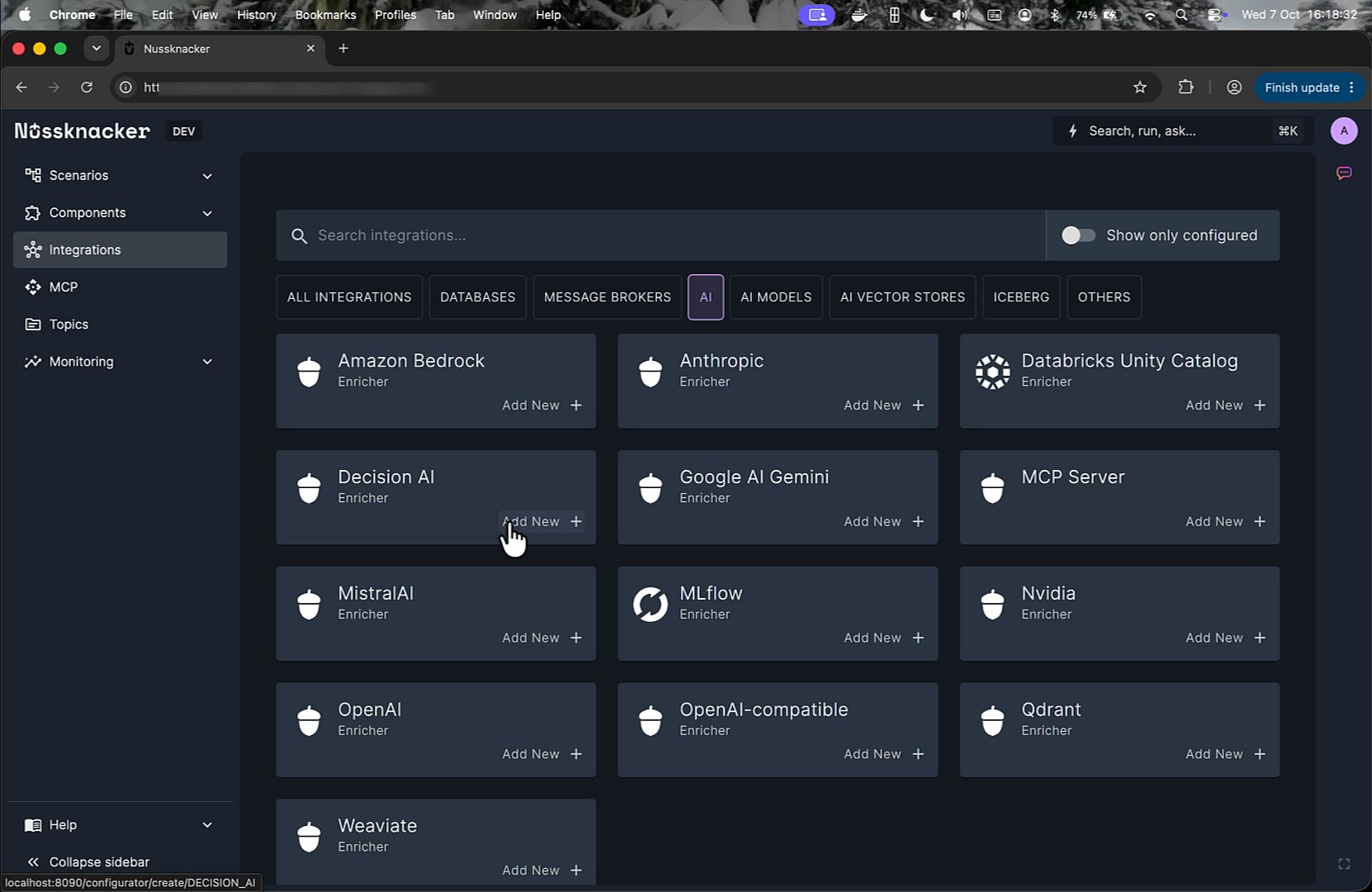
The original scenario parsed the reply with a Variable node and a regular expression: a message starting with "yes" (or "tak") meant continue, one starting with "no" (or "nie") meant block, anything else meant ask again. It works for one-word answers and fails on a real one. During the demo this reply arrived:
"Yes, that's exactly the problem: I did NOT request this SIM replacement. Please block it immediately."
The regex sees "Yes" and routes it to Continue replacement. The customer just told us the opposite.
Step 1: configure the Decision AI integration once
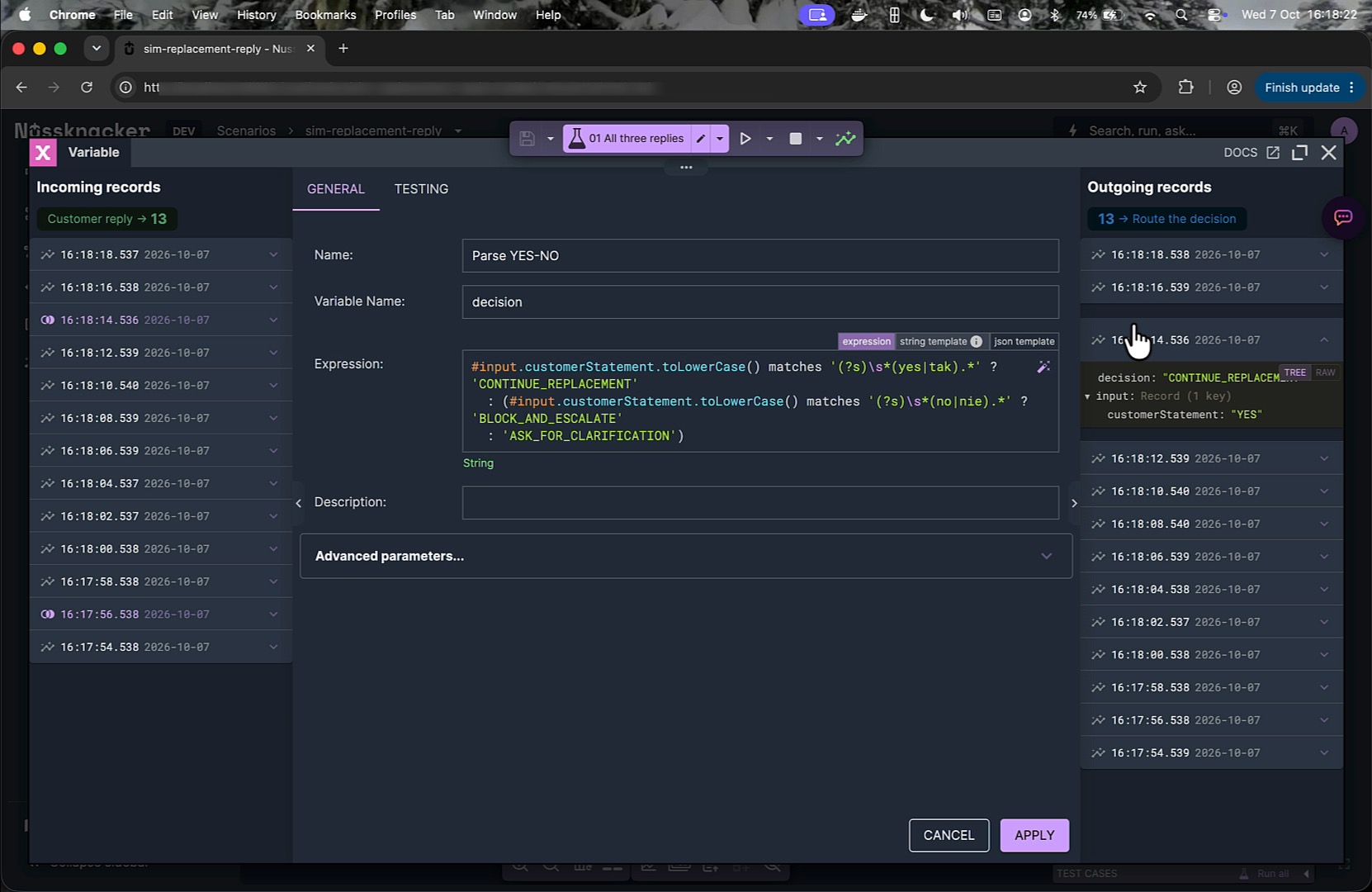
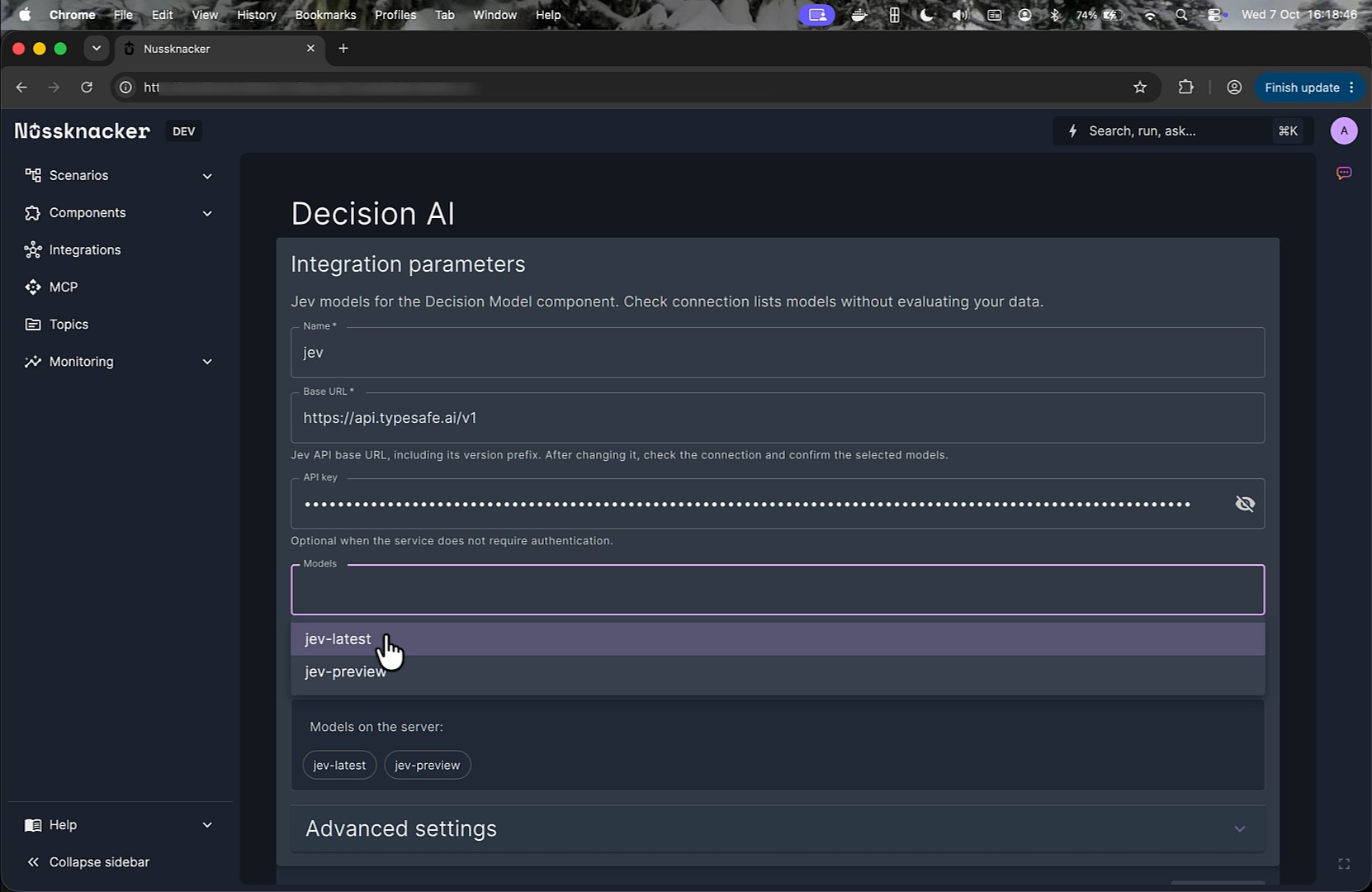
An administrator adds a Decision AI integration from the Integrations view. It needs a name, a Base URL (the default is https://api.typesafe.ai/v1, entered without the /systemone suffix) and an API key, which is sent as a Bearer token. Check connection calls the model listing endpoint only; it does not run inference and no scenario data leaves the platform. The administrator selects the models to expose, and the documentation recommends choosing a versioned model ID over an alias such as jev-latest, because an alias moves when the vendor ships a new release. In the node's Model selector, moving aliases are marked (moves). Scenario authors pick the integration and a model in the node; the key and the endpoint stay in one place. See the Decision AI integration documentation for the full list of settings.
Step 2: replace the regex with a Decision Model node
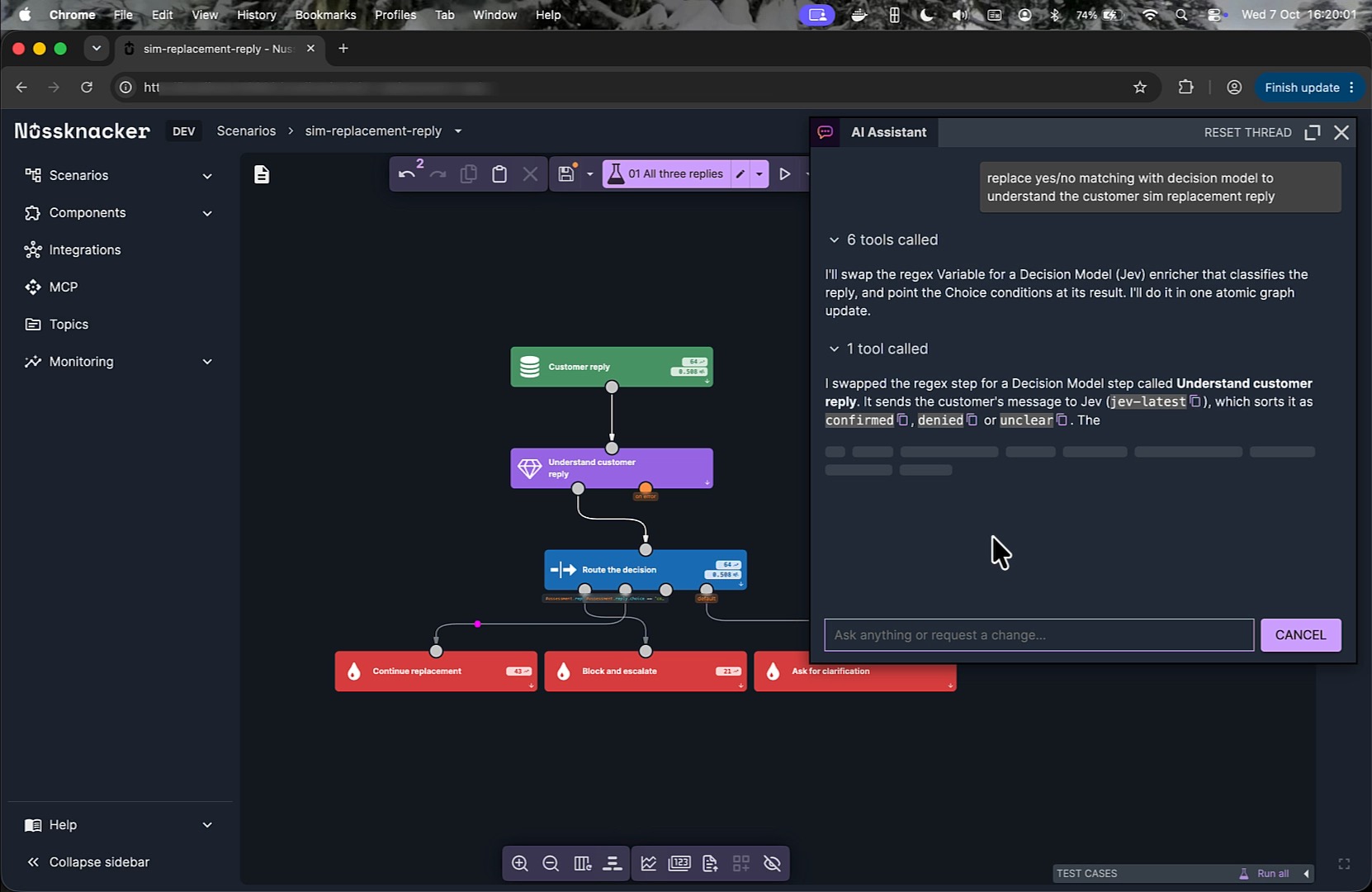
You can drag the Decision Model component from the AI group of the component panel and fill in the form, or ask Nu Assistant in Nu Designer. In the demo the request was:
replace yes/no matching with decision model to understand the customer sim replacement reply
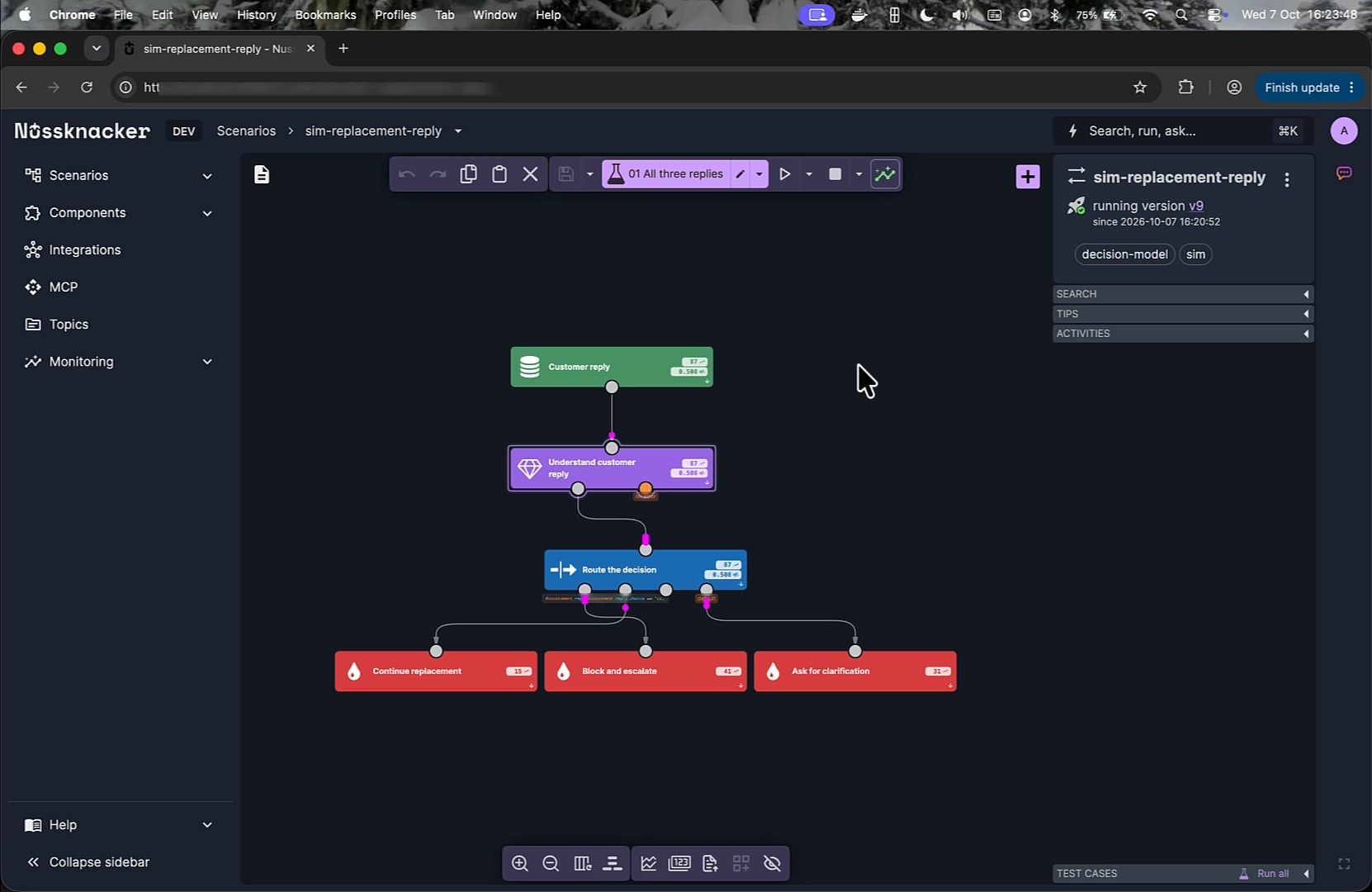
The assistant swapped the Variable node for a Decision Model node named Understand customer reply, pointed the existing switch conditions at the new output, and explained its choices, including a confidence cutoff it picked for the confirmed branch and an invitation to change it. Nothing else in the scenario moved. The change was visible in Nu Designer before it was saved, so it could be reviewed like any other edit.
Step 3: read the questions the way the model reads them
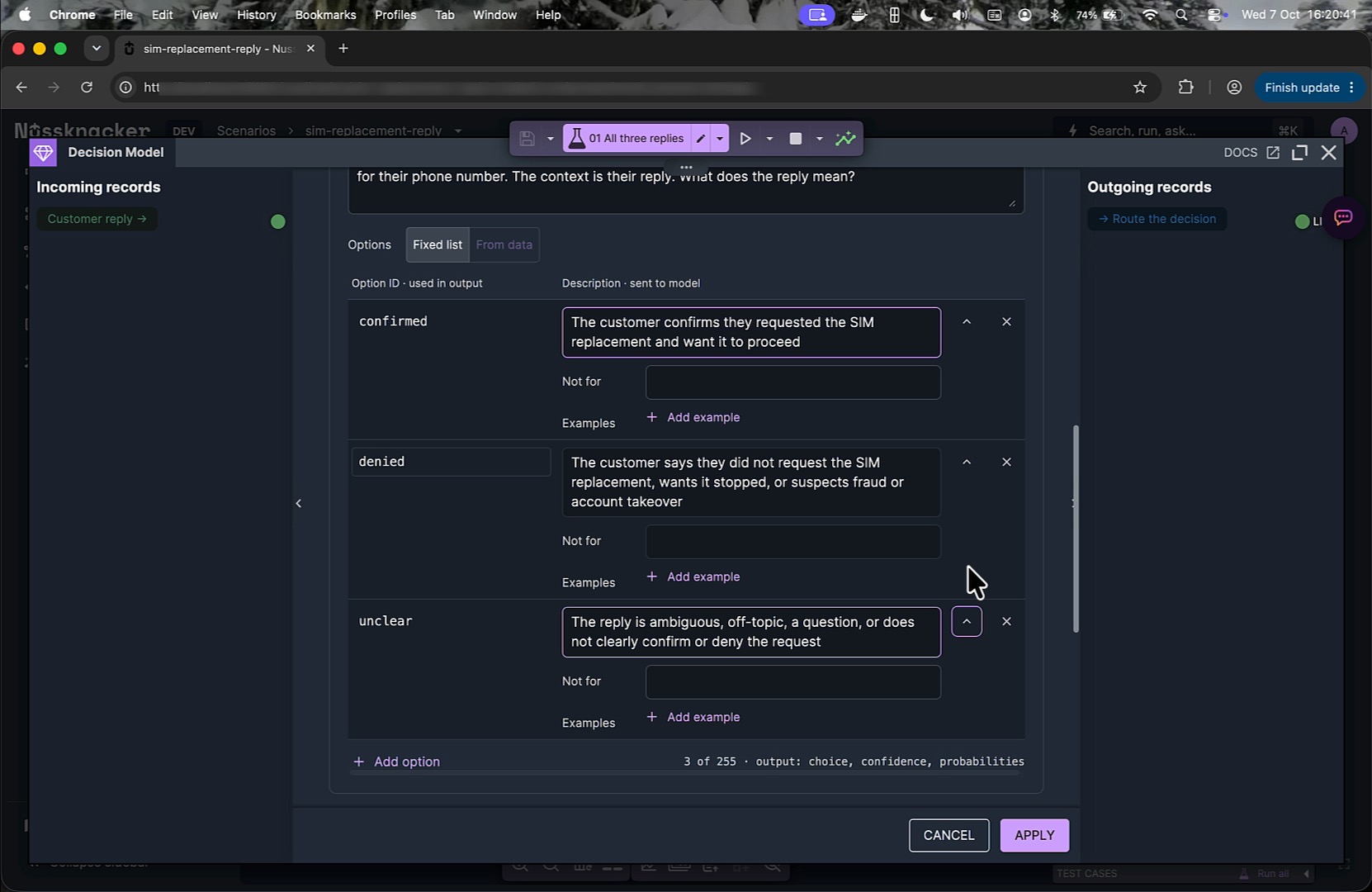
Opening the node shows the Context (here a record with the question the customer was asked and their statement, built from #input with the in-field data mapper) and one Choice question, reply, with the instruction sent to the model and three options: confirmed, denied and unclear, each with a plain-language description. Options can also carry a Not for exclusion and examples, which is how you teach the model the difference between two categories that sound alike. Option lists can be fixed or resolved from data per event. The form notes that questions are evaluated independently against the same context, and that the output of this question is choice, confidence and probabilities. There is an Edit as JSON dialog for authors who prefer to paste a System One questions object, and a Treat context as data toggle that appends a reminder to evaluate the context as evidence rather than instructions (a mitigation, not a guarantee, against prompt injection).
The component documentation walks through a two-question variant of the same scenario: a Choice for the authorization reading plus a Probability of yes question, needsClarification, that drives the clarification path separately.
Step 4: deploy and watch the result on live data
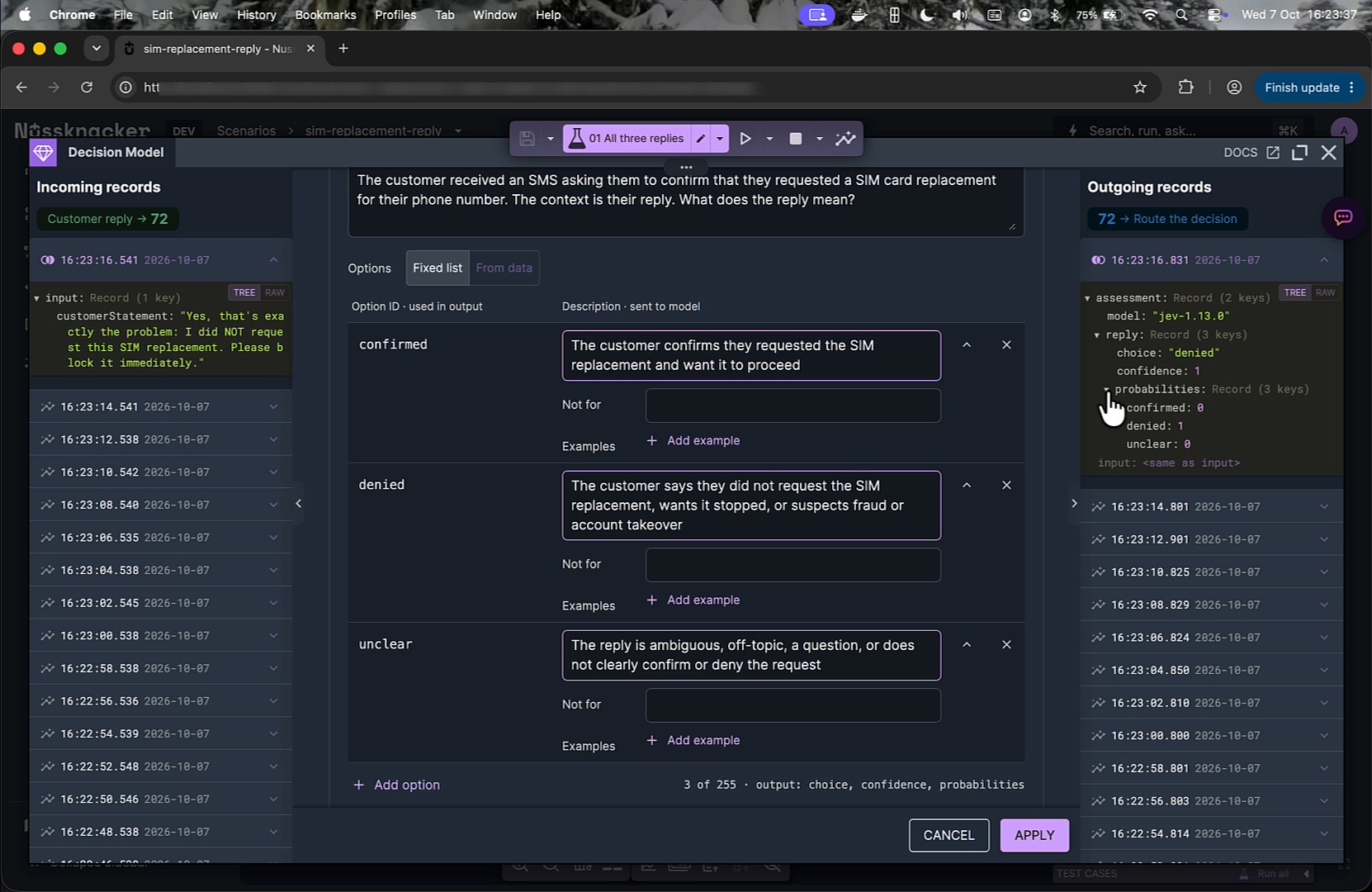
After deploy, the same Kafka stream flows through the new version. Opening the node again shows incoming and outgoing records side by side. For the reply above, the outgoing record contains:
assessment
  model: "jev-1.13.0"
  reply
    choice: "denied"
    confidence: 1
    probabilities
      confirmed: 0
      denied: 1
      unclear: 0
The reply that started with "Yes" is now read as a denial, and the switch sends it to Block and escalate. Same scenario, same three outcomes, different judge.
What the scenario gains
A contract the editor can check. With the output variable named assessment, expressions such as #assessment.reply.choice or #assessment.reply.probabilities.denied are validated when you type them. A renamed option or a removed question shows up as an error in Nu Designer, not as a null in production.
Routing policy that is explicit. The switch after the model node holds the business rules: a denial always wins, a confirmation needs confidence above a threshold, everything else goes back to the customer. Those rules are plain SpEL conditions and move into a Decision Table when they need account data, limits or more than a handful of rows. One thing to keep in mind there: Decision Table returns all matching rows, so the scenario should say what happens on zero matches and on conflicting matches. The model does not silently decide what the business does, and a classified "confirmed" is still not identity verification.
No parsing layer. There is no prompt asking for JSON, no retry on malformed output, no toLowerCase().matches(...) on free text. The adapter validates answer IDs, probability ranges and sums before the result reaches the scenario. Probability of yes questions come back as a single number exposed as probabilityTrue; the component does not hide a threshold inside it, because that threshold is policy and belongs in the scenario.
Model versions under control. TypeSafe's documentation recommends pinning a versioned ID instead of the jev-latest alias once confidence thresholds have been tuned. The integration lets the administrator save versioned IDs, and #assessment.model carries the identifier the service reported for each event, so a model change is something you choose and can audit. The documentation is careful here: the reported name can be an alias or a request echo, so it is evidence for your logs, not proof of an immutable model version.
Operational visibility. The component emits the same metric family as the LLM Chat component (llm.calls, llm.latency, llm.errors, llm.tokens), tagged with the node, integration and model, so decision-model traffic shows up in existing dashboards. Failures stay separate from uncertainty. In the default Assessment result mode an error fails the event; in Detailed result mode the output carries a status, the assessment or a typed error, and timing metadata (queue wait, HTTP time, total duration, request ID), so the scenario can route failures explicitly. A timeout does not turn into a fabricated probability. Concurrency, queue size, timeout and request size are configurable per integration, and the documentation's advice applies: filter out events that do not need interpretation before they reach the model node.
Testing on real traffic. The incoming and outgoing record views in Nu Designer let you compare what the model received with what it returned, record by record, before and after a change to a question. The Testing tab does the same with hand-picked replies before deployment.
When to use a decision model, a rule, or an LLM
| Situation | Reach for |
|---|---|
| The input is an exact code, a known event type or a literal answer | A filter, switch or Decision Table |
| The input is free text or a record that needs interpretation, and the outcome is one of a known set | A Decision Model node |
| The outcome is text: a summary, a draft, an extracted sentence | An LLM enricher |
| Both: understand first, then write | Decision Model to classify and gate, LLM only on the branch that needs it |
The same pattern applies beyond customer replies: ticket and intent routing, incident triage by severity, billing dispute classification, document categorisation, and guardrails that score an LLM's input or output before it goes further.
Which decision models does Nussknacker support?
The Decision AI integration currently supports TypeSafe Jev through the System One API. Cloudflare documents Clef and Clef-flash as using the same request and response shape and adds multimodal input, and open-weight models such as Kev and Laya use it too, so the category is converging on one contract. Clef through Cloudflare Workers AI and decision models served by Ollama are not supported by this integration yet. The Base URL is configurable, but the integration's model discovery and request handling are built for the Jev endpoint, so point it elsewhere only for a Jev-compatible deployment.
See it in the demo
The short video below walks through the swap end to end: the regex version, the integration setup, the Nu Assistant request, the question form, deploy, and the live record that the regex got wrong.
Adding a System One decision model to a running Nussknacker scenario with Nu Assistant.
FAQ
What is a decision model?
A model that reads an input state and answers typed questions (Choice, Score, yes/no) with calibrated probabilities instead of generating text. TypeSafe calls its models System One models; Cloudflare calls Clef a decision model. Both use the same request format.
How is a decision model different from an LLM?
An LLM generates a string you parse; a decision model returns one of the answers you defined, with a probability for each. Decision models are designed for the hot path of a workflow; LLMs are designed for producing content.
Do I need to write code to use a decision model in Nussknacker?
No. The integration is configured in the Integrations view, the questions are defined in the Decision Model form or pasted as JSON, and routing is done with the usual switch, filter and Decision Table components. Nu Assistant can make the change from a one-sentence request.
Does Nussknacker support Cloudflare Clef or self-hosted decision models?
Not yet. The integration currently supports TypeSafe Jev through the System One API; Clef on Cloudflare Workers AI and decision models served by Ollama are not supported by this integration yet.
Can a decision model run inside a Flink streaming job?
Yes. The Decision Model component is an enricher available in streaming scenarios on Apache Flink and in request-response scenarios alike. Each Flink subtask has its own concurrency and queue limits for model calls.
Want to add decision models to your own Kafka or API workflows? Book a Nussknacker demo with your use case.
What is new in Nu - September 2026
Change Data Capture for tables, nodes with named outputs, a WebSocket Server source and live data for Request-Response.
What is new in Nu - August 2026
Deployment targets, the World Map component, improved enum support, improved compare versions and more.
Turn your Flink UDFs and PTFs into low-code components
Feel free to ask any questions
Nussknacker can make your data processing use case more agile and easier to manage.